How the Smart Assistant Works
It doesn't just explain — it actually does. Adds properties, creates alerts, saves contacts, and schedules appointments.
The AI Real Estate smart assistant is not a chatbot that explains — it acts in your account. When you say "Add an apartment on Herzl Street in Haifa, 2.5 million" — it will actually add it. When you ask "Create an alert for new apartments in Neve Ze'ev for David" — it will create it and link it to the contact. When you send "Remind me to call Yoav tomorrow at 10" — a real reminder will be set.
It understands Hebrew, English, and Russian equally well, and can switch between them mid‑conversation — if you started in Hebrew and continue in English, that's fine.
Do it in the app
-
1
Where is it?
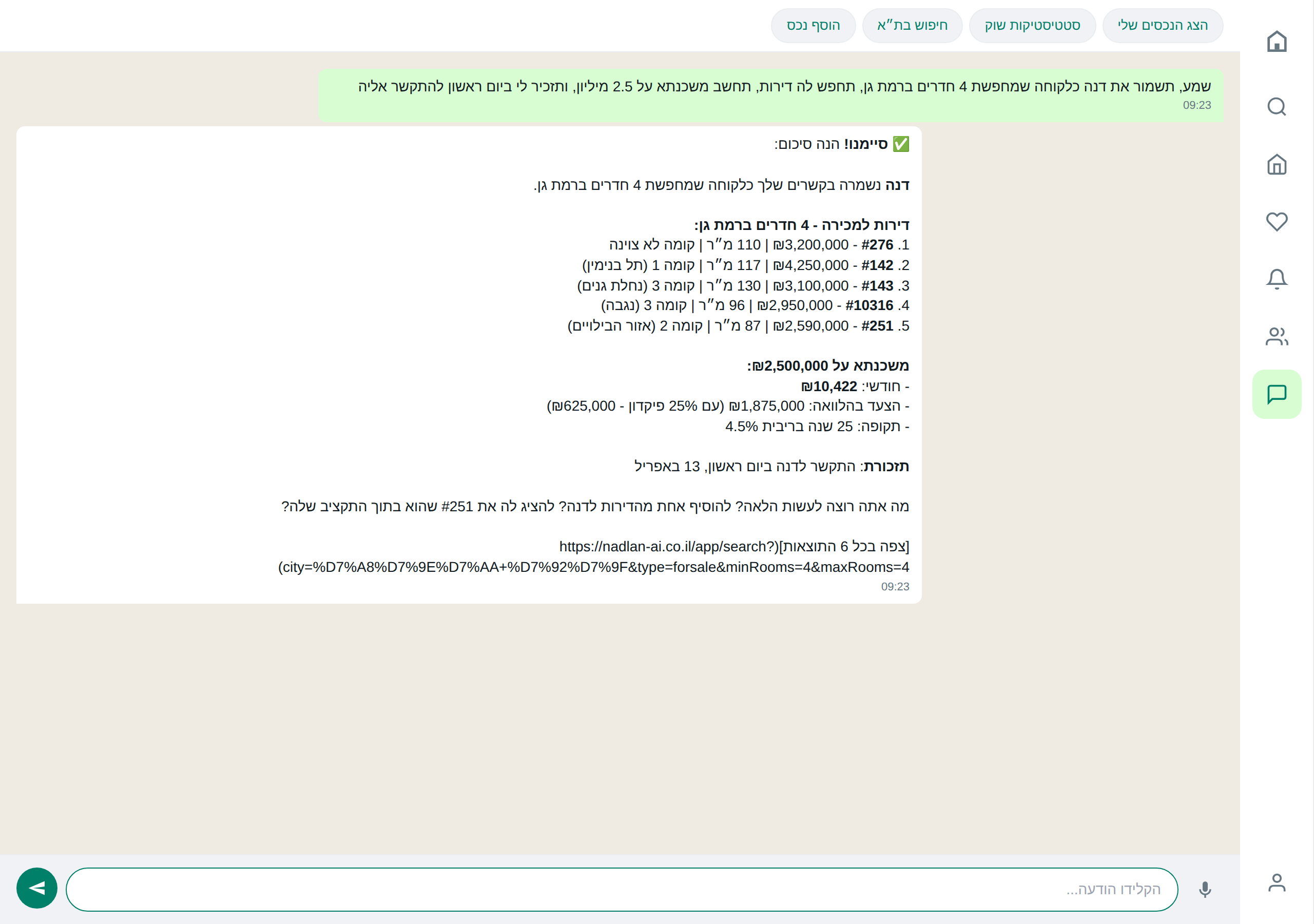
In the main menu, "Chat". It is also accessible via WhatsApp and Telegram if you send a direct message to the bot’s number — the history is synchronized across channels.
-
2
Getting Started — One Specific Request
No need to memorize commands. Write naturally: "Show me 5 apartments with 4 rooms in Neve Ze'ev with parking". It will work.
-
3
Quick Action Buttons
Below the typing box there are 4 shortcuts: "My Properties", "Market Statistics", "Apartment Search", "Add Property". One click — and the assistant starts the process.
Do it via AI
Reminder: the assistant really performs these actions — not just describes them.
Lots of things, but in short — I can:
- 🏠 add, update or delete properties
- 🔎 search apartments by any criterion you specify
- 🔔 save searches that will alert you to new matching apartments
- 👥 manage your contacts and log meetings
- 📅 schedule apartment viewings in your Google Calendar
- 📊 provide market statistics for a city or neighborhood
- 🧠 remember important details between conversations
Just write what you need — I’ll understand.
Saved ✓ — I’ll remember it in future conversations. When you ask "What about Yoav?" or add a contact named Yoav — I’ll know what you’re referring to.
Do you want me to also create an automatic alert for new duplexes in Haifa up to 4.5 million? Every time a new matching listing appears you’ll receive a WhatsApp alert.
Tips & gotchas
If you write "Show me apartments in Kiryat Ono" and then "What about 5 rooms?" — it will continue in the same city without you needing to start over.
Deleting a property, deleting a contact, and any action that cannot be undone — will always be presented for confirmation before execution. No risk of "I clicked by mistake".
Ready to start?
Open the app or talk to the assistant on WhatsApp.